Product documentation and U.S. App Store listings checked: November 4, 2026.
An AI workout form checker uses a camera, recorded video, or motion sensor to assess exercise technique. For phone-only gym sessions, start by comparing POSE Fitness for advertised live iPhone feedback with FitForm for recorded-set review. The key difference is when you receive feedback: during a set or after recording it.
This guide compares six apps and systems by feedback type, device, access requirements, and limitations. Tempo Studio requires home-gym hardware; Kaia and Kemtai serve care programs or provider platforms; APECS focuses on posture and angle assessment. A workout-planning app does not necessarily analyze your movement.
This is a research-based comparison using official documentation, U.S. App Store listings, and selected research. We did not install the apps or test their movement feedback. Features are developer claims unless a specific study is discussed; availability and paid access can vary by country.
AI feedback can help you notice visible movement patterns, but it cannot diagnose an injury or guarantee that an exercise is safe for your body. Stop exercising if you experience sharp, unusual, or worsening pain, and seek advice from a qualified healthcare or fitness professional.
For a broader explanation of how AI is used to support safer training, read our guide to AI for injury prevention.
- Quick Answer: Which AI Workout Form Checker Fits Your Needs?
- Best AI Exercise Form Apps at a Glance
- How We Evaluated the Apps
- AI Workout Form Checker Apps and Systems Compared
- Workout Planning Apps vs. Exercise Form Checkers
- How AI Exercise Form Analysis Works
- How Accurate Are AI Form-Checking Apps?
- How to Position Your Phone for Better Form Analysis
- Common Errors to Avoid When Using an AI Fitness Coach
- How to Get Better Results From an AI Form App
- Frequently Asked Questions
- Final Recommendation
Quick Answer: Which AI Workout Form Checker Fits Your Needs?
If you want a phone app for gym sets, first compare POSE for advertised live iPhone feedback with FitForm for recorded-set review. Neither listing establishes that its feedback is accurate for every exercise.
- iPhone and live cues: POSE advertises real-time tracking; its listing says access to features requires a subscription.
- iPhone/iPad and post-set review: FitForm advertises video analysis and overlays; some features require a pro subscription.
- Home-gym hardware: Tempo Studio provides feedback within its supported system and classes.
- Care-program exercises: Kaia Motion Coach and Kemtai are different access routes from a general gym app. Check eligibility or provider access first.
- Posture assessment: APECS focuses on photos, measurements, and selected video assessments rather than continuous workout coaching.
There is no evidence here for one universal “best” app. Match the product to your device, supported movement, access requirements, and feedback timing.
Best AI Exercise Form Apps at a Glance
| Product | Feedback type | Device and access | Check before choosing |
|---|---|---|---|
| POSE Fitness | Advertised live movement feedback | iPhone; subscription required | Confirm your exercise is supported; developer claims are not clinical validation. |
| FitForm | Recorded-set video review | iPhone/iPad; paid features | Feedback follows recording; verify what is included before paying. |
| Tempo Studio | Feedback in supported classes | Dedicated hardware and membership | Not a general phone-only form checker. |
| Kaia Motion Coach | Supported therapeutic exercises | Eligible care program; iOS/Android support varies | U.S. signup documentation excludes individual subscriptions. |
| Kemtai | Provider/platform motion guidance | Supported camera device through a program | Check the specific provider or partner integration. |
| APECS | Posture and angle assessment | iPhone/iPad listing; optional paid features | Some workflows use markers or manual landmark placement. |
How We Evaluated the Apps
We compared the documented scope, access conditions, and limitations using the six questions below. This is a desk review, not a hands-on performance ranking or medical endorsement.
1. Does the Product Actually Analyze Movement?
The tool had to use camera-based pose estimation, video analysis, motion sensors, or another system that assesses physical movement.
An application that only generates a workout plan was not classified as a form-checking app.
2. Is the Feedback Real-Time or Delayed?
Real-time feedback can help you adjust during a set.
Post-set analysis lets you review a recorded movement before your next attempt.
Both approaches can be useful, but they are not equivalent.
3. Which Exercises Are Supported?
An application may perform well on squats but offer limited feedback for deadlifts, bench presses, yoga poses, or complex athletic movements.
We looked for clear information about supported activities.
4. What Equipment Is Required?
Some tools work with a standard smartphone camera.
Others require:
- A dedicated screen
- Depth sensors
- A subscription
- Enrollment through a healthcare provider
- Specific camera positioning
- Additional workout space
5. Is There Evidence Behind the Technology?
Where available, we looked for clinical studies, peer-reviewed validation, or transparent technical documentation.
For newer consumer apps, the features may be described only by the developer. Such descriptions should not be treated as independent proof of accuracy.
6. Are the Limitations Explained Clearly?
Responsible products should acknowledge that camera position, lighting, clothing, occlusion, supported exercises, and individual differences can affect results.
AI Workout Form Checker Apps and Systems Compared
1. POSE Fitness: Advertised Live iPhone Feedback
The U.S. POSE Fitness listing advertises live movement tracking, form cues, and use with existing training equipment. Its release notes also describe repetition tracking, recordings, and range-of-motion guidance.
Device and cost: The listing is designed for iPhone and lists iOS 16+. Although downloading is free, its description says all app features require a monthly or annual subscription. Check current terms and any trial before subscribing.
Evidence: The listing showed only a small number of ratings at this check. Ratings are not clinical validation. Claims about biomechanics, injury prevention, and coaching quality come from the developer and were not independently tested for this article.
Before choosing: Confirm support for your exact movement and feedback mode. “AI-powered” does not establish accuracy for an unsupported lift or an obstructed camera view.
2. FitForm: Recorded-Set Review
The FitForm: AI Workout Coach listing describes recording a set, receiving post-set tips, and reviewing joint/angle overlays. It is intended for review after recording, rather than live corrections during every repetition.
Device and cost: The listing supports iPhone and iPad, with in-app purchases and some features requiring a pro subscription. Check which analysis functions are accessible before committing to a plan.
Evidence: The store did not show enough ratings for a review overview at this check. Video-analysis and alignment capabilities are developer claims; this article did not test their accuracy.
Privacy: Review the developer’s policy and permission requests before recording. Do not assume that a video-analysis app processes everything locally or keeps recordings off its servers.
3. Tempo Studio: Dedicated Home-Gym Feedback
Tempo’s support documentation describes 3D movement tracking, repetition counting, range-of-motion guidance, and intermittent feedback for supported movements. Studio is a dedicated home-gym system, not a standalone phone app.
Access and equipment: Check the hardware package, membership, compatible weights, delivery region, and available workout space. Tempo’s Studio FAQ says its own weights are needed to take full advantage of tracking.
Limitation: Feedback does not appear for every mistake or every exercise. The manufacturer says cues should complement instruction and should not be the sole way to learn a movement. No cue does not mean the movement has been judged safe.
4. Kaia Motion Coach: Eligible Care-Program Exercises
Kaia Motion Coach uses a phone or tablet camera for audiovisual guidance during supported exercises in its care program. This is a therapeutic-exercise route, not a general barbell-form subscription.
Access: The U.S. signup guidance says users need an eligible health plan and that individual subscriptions are not available. Other regions may differ. The support requirements list iOS 16.4+ or Android 9+, with some Android devices unsupported, and explain that not every exercise enables Motion Coach.
Evidence and limits: A 2021 cohort study compared exercise-correction agreement in 24 people with knee or hip osteoarthritis across six exercises and 552 rated segments. It studied agreement with physiotherapists, not universal gym safety or injury prevention. Several coauthors were affiliated with Kaia; it is peer-reviewed evidence with industry involvement, not an independent comparison of these six products.
5. Kemtai: Provider and Partner Platforms
Kemtai supplies camera-based exercise guidance and assessments to providers and partner platforms. Its documented products include a clinician platform and integration tools. It can run through supported phones, tablets, and computers without wearable tracking sensors.
Access: Ask the clinic or partner platform how to enroll and which exercises are enabled in your program. A technology demonstration is not proof that you can download an unrestricted consumer gym app.
Privacy: Kemtai’s computer-vision page describes local video processing and storage of spatial coordinates rather than recorded video. That does not mean no information is retained. Confirm the actual provider’s settings and policy, including any optional recording, before using it.
Limitation: Published marketing specifications are not a guarantee of accurate assessment for your exercise, condition, or camera setup. This guide does not independently validate the platform’s clinical claims.
6. APECS: Posture and Angle Assessment
The APECS listing describes photo-based posture assessment, angle measurements, reports, and selected dynamic video assessment. Its workflows include marker-based automatic detection and manual or semi-manual landmark placement.
Device and access: The reviewed listing is for iPhone/iPad, with free functions and optional paid features. Check the assessment mode you need; “automatic” does not mean every workflow is markerless or fully automatic.
Limitation: This is a posture-assessment category, not a like-for-like substitute for rep-by-rep strength coaching. The developer says results should be confirmed by a professional and should not be the sole assessment tool.
Privacy: The developer states that photos and PDF reports remain on the device. Treat this as a product statement and inspect the current policy and any sharing or export options yourself.
Workout Planning Apps vs. Exercise Form Checkers
Fitbod and Dr. Muscle focus on workout programming. The official material reviewed for this guide did not establish camera-based analysis of your own movement. Exercise demonstrations and written cues are useful features, but they are different from checking a recorded or live set.
Correction to the earlier guide: Fitbod and Dr. Muscle have been removed from the form-checker recommendations. The previously linked Zenith Yoga website did not verify the AI pose-coaching app described, so that recommendation has also been removed.
How AI Exercise Form Analysis Works
Most camera-based form applications use a process known as human pose estimation.
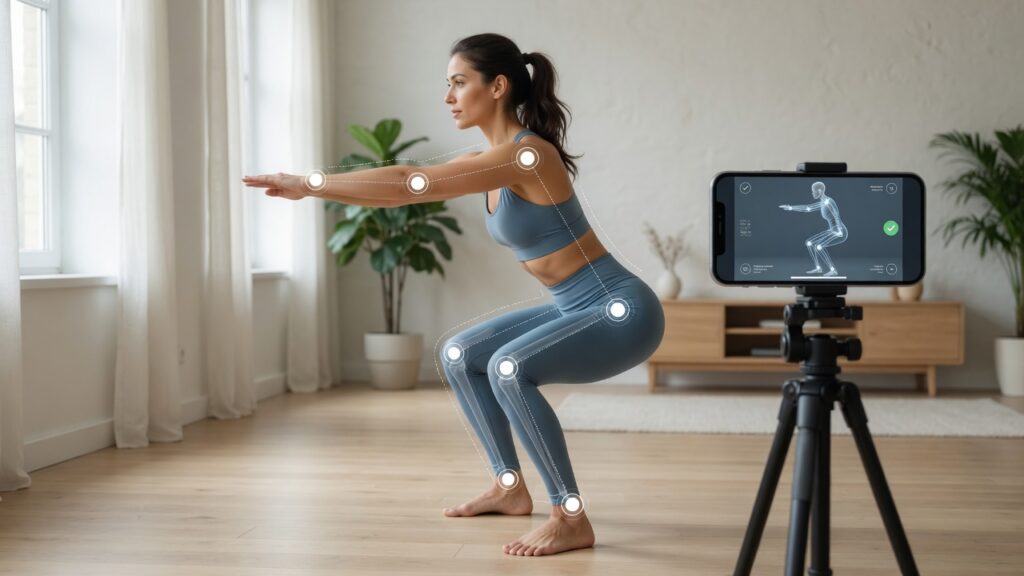
An AI app to check exercise form usually converts visible body landmarks into joint angles, movement paths, and exercise-specific feedback.
The system identifies important body landmarks, which may include:
- Shoulders
- Elbows
- Wrists
- Hips
- Knees
- Ankles
- Spine
- Head position
It then estimates the angles and movement paths between these points.
Depending on the application, the system may compare your movement with:
- A predefined reference movement
- A range-of-motion target
- Exercise-specific joint-angle rules
- Examples labeled by coaches or clinicians
- Your previous recorded performance
The result may appear as:
- A skeleton overlay
- A numerical form score
- Audio instructions
- Visual warnings
- Rep counts
- A timeline showing technique changes
- Suggestions for the next set
How Accurate Are AI Form-Checking Apps?
Accuracy varies significantly.
The accuracy of an AI app to check exercise form depends on the supported exercise, camera position, lighting, visibility, and quality of the underlying model.
A camera-based system may perform well for a supported movement under controlled conditions and poorly when:
- The phone is placed at the wrong angle
- Part of the body is hidden
- Lighting is poor
- Clothing hides joint positions
- The user moves outside the frame
- Another person enters the image
- Equipment blocks the camera
- The exercise is not included in the training data
- The movement is too fast
- The app relies on a single two-dimensional angle
A 2026 study examining smartphone camera positioning for AI exercise assessment found that camera angle and distance can materially affect movement-detection performance.
Research has also shown that mobile AI systems can successfully classify and evaluate selected exercises, but results are specific to the exercises, participants, datasets, and testing conditions used.
For example, one published AI exercise-coaching mobile-app study reported an 85% test accuracy for its squat-posture model.
That does not mean every commercial application achieves the same accuracy.
You should interpret feedback as a useful signal—not a guaranteed biomechanical diagnosis.
How to Position Your Phone for Better Form Analysis
Follow the app’s own setup instructions first.
As a general starting point:
- Use a stable tripod or phone stand.
- Keep your whole body inside the frame.
- Place the camera far enough away to capture the complete movement.
- Use bright, even lighting.
- Avoid strong backlighting.
- Remove clutter between you and the camera.
- Wear clothing that makes your joint positions visible.
- Use the requested front, side, or diagonal angle.
- Keep mirrors and other people out of the frame.
- Perform a slow test repetition before adding weight.
The best camera angle depends on the movement.
For example:
- A side angle can reveal squat depth and spinal position.
- A front angle may better show knee tracking and left-right asymmetry.
- A diagonal view may capture more of a compound movement but reduce angle precision.
Do not assume that one camera position is ideal for every exercise.
Common Errors to Avoid When Using an AI Fitness Coach
Mistake 1: Treating the App as an Absolute Authority
An AI system cannot feel your pain, fatigue, dizziness, instability, or joint discomfort.
Stop immediately if you experience:
- Sharp pain
- Numbness
- Dizziness
- Sudden weakness
- Loss of balance
- Unusual shortness of breath
- Pain that worsens with each repetition
A positive form score does not override a warning from your body.
Mistake 2: Using Poor Lighting or Camera Placement
Pose-estimation systems depend on visibility.
A bad angle can cause the app to misread:
- Knee position
- Hip depth
- Shoulder alignment
- Back position
- Range of motion
- Rep completion
Calibrate the camera and test a few unloaded repetitions before beginning.
Mistake 3: Using an App Outside Its Supported Exercise Library
An application trained to evaluate squats may not accurately assess:
- Olympic lifts
- Complex yoga transitions
- Sport-specific movements
- Rehabilitation exercises
- Assisted exercises
- Unusual equipment setups
Check which movements are officially supported.
Mistake 4: Adding Weight Before Learning the Movement
AI feedback should not encourage you to test a difficult movement under maximum load.
Begin with:
- Body weight
- A light resistance
- A controlled tempo
- A limited range of motion when appropriate
- Professional supervision for high-risk exercises
Master the basic pattern before increasing difficulty.
Mistake 5: Ignoring Video and Privacy Policies
Exercise videos may reveal:
- Your face
- Your home
- Your location
- Your body
- Health-related information
- Other people in the room
Before uploading a video, check:
- Whether processing occurs on the device or in the cloud
- Whether the video is stored
- How long it is retained
- Whether it is used to train models
- Whether it is shared with third parties
- Whether you can delete it
- Whether the company clearly identifies itself
Avoid recording other gym members without their permission.
How to Get Better Results From an AI Form App
Calibrate Before Each Session
Small changes in lighting, distance, clothing, or phone height can affect tracking.
Use the Same Camera Angle When Comparing Progress
Consistent positioning makes it easier to compare one session with another.
Test Without Heavy Weight
Confirm that the app detects the movement correctly before increasing resistance.
Review the Specific Error
Do not focus only on a single overall score.
Look at whether the app identified:
- Range of motion
- Control
- Alignment
- Balance
- Tempo
- Repetition consistency
Change One Thing at a Time
If the app highlights several issues, correct the most important one first.
Trying to change every detail simultaneously can make the exercise less natural.
Confirm Repeated Corrections With a Professional
When an application repeatedly identifies the same problem—or when its advice conflicts with what you were taught—ask a qualified coach, physical therapist, or medical professional.
Combine Technique With a Sensible Program
Good form is only one part of safe training.
You also need appropriate:
- Exercise selection
- Volume
- Intensity
- Recovery
- Nutrition
- Progression
You can use our AI workout-plan prompts to organize a routine, but always adapt it to your health, experience, and available equipment.
Frequently Asked Questions
Can ChatGPT Check My Exercise Form?
A multimodal chatbot may be able to comment on a photo or video, depending on the model and features available.
However, a general chatbot is not automatically a validated biomechanics tool.
It may:
Miss important details
Misinterpret the camera angle
Give inconsistent advice
Invent explanations
Lack exercise-specific measurements
Fail to recognize medical risks
Use a dedicated movement-analysis system when you need structured tracking, and consult a qualified professional for pain, rehabilitation, or complex technique.
Do AI Form Apps Work Without Special Equipment?
Some use standard phone or tablet cameras, but device and access requirements differ. POSE is designed for iPhone; FitForm and the reviewed APECS listing support iPhone/iPad. Kaia requires eligible program access and a supported device. Kemtai is accessed through providers or partner platforms. APECS may require markers or manual landmark placement for some modes. Tempo Studio requires dedicated hardware.
Can an AI App Replace a Personal Trainer?
Not completely.
A human trainer can:
Adapt an exercise to your anatomy
Observe you from multiple angles
Ask about pain and previous injuries
Physically demonstrate a movement
Modify a session immediately
Understand emotional and motivational factors
Spot risks outside the camera frame
AI can provide frequent feedback and convenient practice support, but it is best used as a supplement.
Can an AI Form App Prevent Injuries?
No application can guarantee injury prevention.
An app may help identify visible technique patterns, but injury risk also depends on:
Training load
Recovery
Previous injuries
Fatigue
Mobility
Medical conditions
Equipment
Exercise selection
Sudden increases in volume or intensity
Avoid claims that an app makes exercise completely safe.
Which App Is Best for Squats?
This desk review does not establish a most accurate squat checker. Tempo documents supported squat feedback within its system; phone-app listings advertise movement or recorded-set analysis. Before paying, ask whether your exact squat variation is supported and what camera setup is required. Do not infer safety or clinical accuracy from a form score.
Which App Is Best for Physical-Therapy Exercises?
Kaia Motion Coach and Kemtai are care-program options in this comparison, rather than general gym-app equivalents. Kaia’s U.S. access depends on an eligible health plan; Kemtai is used through providers or partner platforms. Ask your treating professional which program, if any, fits your needs. This article is not a clinical ranking.
Is My Workout Video Private?
Privacy differs by application.
Some systems process movement directly on the device, while others upload or store recordings.
Read the current privacy policy before using the camera or uploading a video.
Do not assume that “AI-powered” means the processing is private or local.
Before choosing an AI app to check exercise form, confirm that it supports your exercise, device, training goal, and preferred type of feedback.
Final Recommendation
For a phone-only gym workflow, compare POSE’s advertised live cues with FitForm’s post-set review. For a supported home-gym system, examine Tempo Studio’s total hardware and membership requirements. For therapeutic exercise, confirm a suitable care program with your provider; Kaia and Kemtai have different enrollment routes. Consider APECS separately if you need posture or angle assessment.
Before downloading or subscribing:
- Verify your device and operating system against the current listing.
- Confirm support for the exact exercise and feedback timing you want.
- Check total cost, renewal conditions, cancellation, and what a free download includes.
- Read recording, retention, sharing, and deletion policies for the actual app or provider.
- Follow the product’s camera setup and do not treat its score as proof of safety.
This comparison identifies documented product differences; it does not establish that one system will assess your movement correctly. For pain, rehabilitation, or uncertainty about exercise technique, consult an appropriately qualified professional.




3 Comments
Comments are closed.