
Best AI Apps to Check Exercise Form in 2026
Last verified: July 2026.
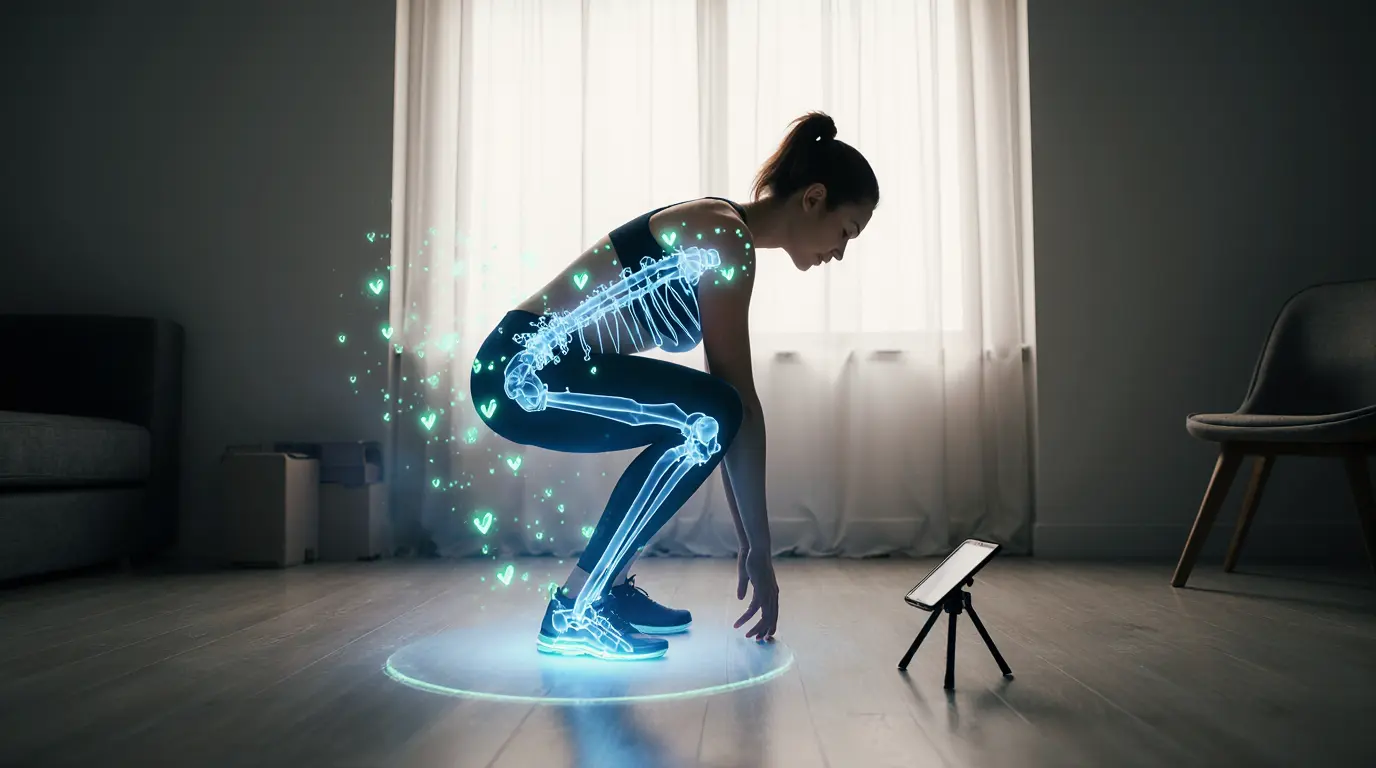
An AI app to check exercise form can use a smartphone camera, uploaded video, or dedicated motion sensor to estimate joint positions and provide feedback on exercise technique.
However, not every product marketed as an “AI personal trainer” actually checks your form.
Some applications analyze your movements in real time. Others review a recorded set after you finish. Many popular fitness apps simply create personalized workout plans without watching your technique at all.
For this updated 2026 guide, we reviewed official product documentation and current app-store listings to identify tools that offer genuine movement, posture, or exercise-form analysis.
We also distinguish between:
- Consumer fitness applications
- Connected home-gym equipment
- Digital physical-therapy platforms
- Static posture-assessment tools
- Apps that generate workouts but do not check form
AI feedback can help you notice visible movement patterns, but it cannot diagnose an injury or guarantee that an exercise is safe for your body. Stop exercising if you experience sharp, unusual, or worsening pain, and seek advice from a qualified healthcare or fitness professional.
For a broader explanation of how AI is used to support safer training, read our guide to AI for injury prevention.
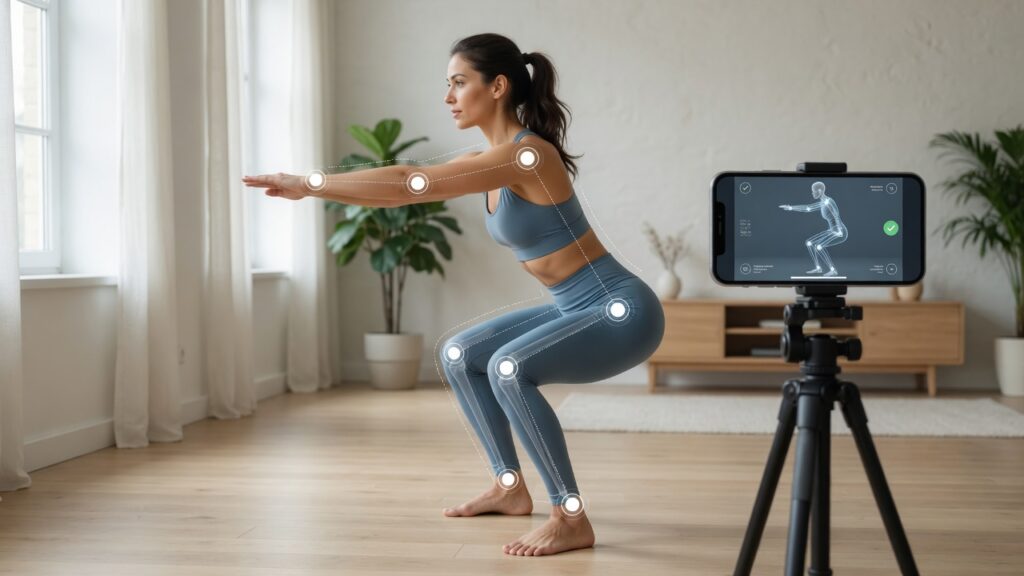
Table of Contents
Quick Answer: What Is the Best AI Apps to Check Exercise Form?
The best AI app to check exercise form depends on whether you need real-time strength coaching, rehabilitation guidance, recorded video analysis, or static posture assessment.
- Tempo Studio offers some of the most advanced real-time strength-training feedback, but it requires dedicated home-gym hardware.
- Kaia Motion Coach is one of the strongest options for guided therapeutic and musculoskeletal exercises through a smartphone camera.
- Kemtai provides clinically oriented motion tracking for rehabilitation providers and digital-health platforms.
- POSE Fitness offers real-time camera-based movement feedback for iPhone users.
- FitForm analyzes recorded exercise sets and provides post-set feedback.
- APECS is better suited to posture, symmetry, and range-of-motion assessment than rep-by-rep workout coaching.
There is no single application that is best for every exercise, body, camera angle, or training goal.
Best AI Exercise Form Apps at a Glance
| App or System | Analysis Type | Device | Best For | Main Limitation |
|---|---|---|---|---|
| Tempo Studio | Real-time 3D movement feedback | Dedicated Tempo hardware | Strength training at home | Requires hardware and guided Tempo classes |
| Kaia Motion Coach | Real-time camera feedback | Smartphone or tablet | Therapeutic and MSK exercises | Access may depend on employer, insurer, or care program |
| Kemtai | Real-time computer vision | Phone, tablet, or computer | Rehabilitation and provider-led programs | Primarily designed for healthcare organizations |
| POSE Fitness | Real-time camera tracking | iPhone | General workouts and athletes | Limited independent validation and relatively few reviews |
| FitForm | Post-set video analysis | iPhone and iPad | Reviewing lifting technique | Feedback is generally provided after recording a set |
| APECS | Photo and video posture assessment | iPhone and iPad | Posture, symmetry, and range of motion | Not designed as a live workout coach |
How We Evaluated the Apps
We considered six factors.
1. Does the Product Actually Analyze Movement?
The tool had to use camera-based pose estimation, video analysis, motion sensors, or another system that assesses physical movement.
An application that only generates a workout plan was not classified as a form-checking app.
2. Is the Feedback Real-Time or Delayed?
Real-time feedback can help you adjust during a set.
Post-set analysis lets you review a recorded movement before your next attempt.
Both approaches can be useful, but they are not equivalent.
3. Which Exercises Are Supported?
An application may perform well on squats but offer limited feedback for deadlifts, bench presses, yoga poses, or complex athletic movements.
We looked for clear information about supported activities.
4. What Equipment Is Required?
Some tools work with a standard smartphone camera.
Others require:
- A dedicated screen
- Depth sensors
- A subscription
- Enrollment through a healthcare provider
- Specific camera positioning
- Additional workout space
5. Is There Evidence Behind the Technology?
Where available, we looked for clinical studies, peer-reviewed validation, or transparent technical documentation.
For newer consumer apps, the features may be described only by the developer. Such descriptions should not be treated as independent proof of accuracy.
6. Are the Limitations Explained Clearly?
Responsible products should acknowledge that camera position, lighting, clothing, occlusion, supported exercises, and individual differences can affect results.
The Best AI Apps and Systems to Check Exercise Form
1. Tempo Studio: Best for Real-Time Strength-Training Feedback
Analysis type: Real-time 3D movement tracking
Best for: Guided home strength workouts
Equipment: Tempo Studio hardware
Availability: Subscription and hardware required
Tempo Studio uses dedicated 3D sensors to identify the position of your muscles and joints during supported exercises.
During a compatible Tempo class, the system can:
- Track repetitions
- Measure range of motion
- Detect certain technique errors
- Provide immediate visual feedback
- Notify you when you correct an error
- Combine automated feedback with instructor guidance
Tempo is particularly relevant for movements such as:
- Squats
- Curls
- Presses
- Rows
- Lunges
- Other supported strength exercises
What Makes Tempo Different?
Unlike a standard phone camera, the Tempo Studio uses dedicated depth-sensing hardware.
This allows it to analyze movement in three dimensions rather than relying only on a flat video image.
Its official documentation also explains that each new form-feedback cue requires extensive data collection, manual assessment, algorithm training, and testing.
Important Limitations
Tempo does not provide automatic form feedback for every exercise or every class.
Its support documentation states that:
- Strength and HIIT classes offer the most frequent feedback.
- Some movements have not yet been enabled.
- Custom workouts outside the guided Tempo library are not automatically tracked.
- Users need approximately six to eight feet of clear space.
- Mirrors, bright sunlight, clutter, and incorrect positioning may interfere with the sensor.
Who Should Choose Tempo?
Tempo is best for someone who:
- Wants guided home strength classes
- Is willing to buy dedicated equipment
- Values real-time feedback
- Prefers an integrated training system over a standalone app
It is not the most accessible option for someone who only wants to place a phone on the floor and quickly analyze one gym set.
2. Kaia Motion Coach: Best for Therapeutic Exercise and Rehabilitation
Analysis type: Real-time smartphone camera feedback
Best for: Musculoskeletal exercises and guided rehabilitation
Equipment: Smartphone or tablet
Availability: May depend on employer, insurer, healthcare provider, or region
Kaia Motion Coach uses the front-facing camera of a smartphone or tablet to analyze movement during exercises in the Kaia Health program.
It provides audiovisual guidance designed to help users improve:
- Posture
- Exercise positioning
- Range of motion
- Movement sequence
- Adherence to prescribed exercises
Clinical Evidence
Kaia’s technology has been evaluated in a peer-reviewed study comparing its exercise corrections with feedback from physical therapists.
The study included 24 participants and 552 exercise sets across six therapeutic movements.
The researchers reported that the agreement between Kaia’s computer-vision system and a physical therapist was comparable to the agreement between two physical therapists.
You can review the published study on app-based rehabilitation exercise correction.
This evidence relates to the specific therapeutic exercises included in the study. It should not be interpreted as proof that the technology can evaluate every gym movement or replace an in-person clinical examination.
Who Should Choose Kaia?
Kaia is most suitable for people who:
- Are completing guided musculoskeletal exercises
- Have access through a health plan or employer
- Want camera-based feedback without external sensors
- Prefer a system connected to a broader care program
Important Limitation
Kaia is not a general bodybuilding or gym-form application.
Its primary purpose is digital musculoskeletal care, therapeutic exercise, and pain-management support.
Availability also varies. Some users may need access through an employer, insurer, healthcare provider, or regional program.
3. Kemtai: Best for Clinics and Provider-Led Exercise Programs
Analysis type: Real-time computer vision
Best for: Digital rehabilitation and healthcare programs
Equipment: Any supported device with a camera
Availability: Primarily through healthcare providers and partner platforms
Kemtai uses markerless computer vision to provide real-time audio and visual guidance during exercise.
According to its current documentation, the platform:
- Analyzes 111 body points
- Supports more than 2,000 exercises and movement variations
- Provides repetition-level feedback
- Works on phones, tablets, and computers
- Requires no wearable sensors
- Processes movement data on the user’s device
- Does not record the exercise video
- Offers tools for clinicians to monitor patient adherence and performance
Kemtai is also designed to integrate with:
- Rehabilitation clinics
- Health systems
- Medical-device companies
- Digital-health applications
- Remote-care platforms
How Kemtai Has Changed
The previous version of this article presented Kemtai primarily as a consumer fitness application with visual scores and gamification.
Kemtai still offers real-time corrective guidance, but its current positioning is much more focused on digital rehabilitation, clinical care, and business integrations.
Individual users may therefore encounter Kemtai through a healthcare provider rather than downloading a conventional consumer workout app.
Who Should Choose Kemtai?
Kemtai is most relevant for:
- Clinics
- Physical-therapy providers
- Digital-health companies
- Patients enrolled in compatible programs
- Organizations building camera-based rehabilitation systems
It is less suitable for someone searching for a simple public app-store download for checking barbell technique independently.
4. POSE Fitness: Best for Real-Time iPhone Feedback
Analysis type: Real-time phone-camera tracking
Best for: Athletes, general fitness, and supported gym movements
Equipment: iPhone
Availability: Subscription-based
POSE Fitness uses an iPhone camera to provide real-time movement tracking and form feedback.
Its listed features include:
- Real-time pose tracking
- Repetition counting
- Range-of-motion guidance
- Form-quality metrics
- Audio cues
- Set recording
- Movement assessments
- Feedback for supported free-weight and bodyweight exercises
The application is designed for users who want to train with their existing equipment rather than purchase a complete smart-gym system.
What Makes POSE Interesting?
POSE combines:
- Live camera feedback
- Augmented-reality exercise guidance
- Workout tracking
- Movement assessments
- Exercise performance metrics
This makes it one of the closest current options to the original idea of turning a phone into a form-checking personal trainer.
Important Limitations
The App Store listing does not yet show enough user ratings to provide a broad review overview.
The developer’s claims about biomechanics, injury prevention, and analysis quality should therefore be treated as product claims rather than independent clinical validation.
It is also currently designed for iPhone, limiting its usefulness for Android users.
Who Should Choose POSE?
POSE may be worth testing when you:
- Use an iPhone
- Want feedback during a workout
- Train with bodyweight or free weights
- Do not want dedicated smart-gym hardware
Begin with low-risk movements and compare the app’s guidance with instructions from a qualified coach before relying on it for complex or heavily loaded exercises.
5. FitForm: Best for Post-Set Video Analysis
Analysis type: Recorded video review
Best for: Lifters who want feedback between sets
Equipment: iPhone or iPad
Availability: Free download with optional paid features
FitForm lets users record an exercise set and receive feedback after completing it.
Its listed features include:
- Video-based posture analysis
- Joint and angle overlays
- Alignment feedback
- Range-of-motion feedback
- Movement-quality review
- Post-set correction tips
- Saved sessions
- Progress comparison
This approach is different from real-time coaching.
Instead of interrupting your movement with live cues, FitForm allows you to review the completed set and apply the feedback during the next attempt.
When Post-Set Analysis Can Be Better
Delayed feedback may be preferable when:
- Audio cues would distract you
- You are lifting in a noisy gym
- The movement requires concentration
- You want to replay the exact moment an error occurred
- You want to compare multiple sets
It can also be easier to position the phone for a stable recording than for continuous interactive coaching.
Important Limitations
FitForm is a relatively new app and currently has too few ratings for a reliable App Store review summary.
The developer states that it analyzes posture, alignment, depth, and control, but independent validation of these capabilities was not identified during this update.
Some features require a paid subscription, and the available functionality may change as the product develops.
6. APECS: Best for Posture and Range-of-Motion Assessment
Analysis type: Static photos and recorded posture analysis
Best for: Posture, symmetry, and range-of-motion screening
Equipment: iPhone or iPad
Availability: Core features available free with optional subscriptions
APECS: AI Posture Evaluation is not a conventional real-time workout coach.
Instead, it analyzes photos and videos to evaluate areas such as:
- Head position
- Shoulder alignment
- Trunk symmetry
- Knee position
- Pelvic alignment
- Range of motion
- Front, back, and side posture
- Changes over time
It can also generate visual reports and angle measurements.
Who Is APECS Best For?
APECS may be useful for:
- Coaches
- Yoga or Pilates instructors
- Rehabilitation professionals
- Users tracking static posture
- People monitoring general alignment changes
The app states that photos and reports remain on the user’s device, which may be important for privacy-conscious users.
Important Limitation
APECS does not provide the same experience as Tempo, POSE, or Kaia Motion Coach.
It is primarily an assessment tool—not a continuous, rep-by-rep exercise coach.
The developer also states that results should be confirmed by a professional and should not be used as the sole method for assessing posture.
Apps From the Previous Guide That Do Not Check Exercise Form
The previous version of this article included several products that should not have been presented as camera-based form-correction apps.
Fitbod: Personalized Programming, Not Camera-Based Form Analysis
Fitbod creates adaptive strength-training plans using information such as:
- Training history
- Recovery
- Available equipment
- Logged performance
- Goals and preferences
It also provides exercise demonstrations and written cues.
However, Fitbod’s current official feature list does not describe camera-based posture analysis or real-time form correction.
Fitbod can help you decide what to train, but it does not watch your movement through the camera and correct your technique.
It should therefore be classified as an adaptive workout-planning application, not an exercise-form checker.
Zenith Yoga: The Previous Link Does Not Lead to an AI Pose App
The previous version described “Zenith Yoga: AI Pose Coach” as an application that analyzed yoga alignment through a phone camera.
The website previously linked in the article now belongs to a physical yoga and fitness studio. It does not document the AI pose-coaching application described in the original article.
Because we could not verify a current official app or reliable product listing matching the previous description, it has been removed from the recommendations.
Dr. Muscle: Adaptive Strength Programming, Not Visual Form Correction
Dr. Muscle uses AI to create and adjust strength-training programs.
Its focus includes:
- Progressive overload
- Exercise selection
- Sets and repetitions
- Rest periods
- Recovery
- Training progression
- AI coaching and recommendations
It does not currently present itself as a camera-based form-analysis system.
Like Fitbod, Dr. Muscle may help manage your workout plan, but it should not be described as an app that visually checks your posture during an exercise.
How AI Exercise Form Analysis Works
Most camera-based form applications use a process known as human pose estimation.
An AI app to check exercise form usually converts visible body landmarks into joint angles, movement paths, and exercise-specific feedback.
The system identifies important body landmarks, which may include:
- Shoulders
- Elbows
- Wrists
- Hips
- Knees
- Ankles
- Spine
- Head position
It then estimates the angles and movement paths between these points.
Depending on the application, the system may compare your movement with:
- A predefined reference movement
- A range-of-motion target
- Exercise-specific joint-angle rules
- Examples labeled by coaches or clinicians
- Your previous recorded performance
The result may appear as:
- A skeleton overlay
- A numerical form score
- Audio instructions
- Visual warnings
- Rep counts
- A timeline showing technique changes
- Suggestions for the next set
How Accurate Are AI Form-Checking Apps?
Accuracy varies significantly.
The accuracy of an AI app to check exercise form depends on the supported exercise, camera position, lighting, visibility, and quality of the underlying model.
A camera-based system may perform well for a supported movement under controlled conditions and poorly when:
- The phone is placed at the wrong angle
- Part of the body is hidden
- Lighting is poor
- Clothing hides joint positions
- The user moves outside the frame
- Another person enters the image
- Equipment blocks the camera
- The exercise is not included in the training data
- The movement is too fast
- The app relies on a single two-dimensional angle
A 2026 study examining smartphone camera positioning for AI exercise assessment found that camera angle and distance can materially affect movement-detection performance.
Research has also shown that mobile AI systems can successfully classify and evaluate selected exercises, but results are specific to the exercises, participants, datasets, and testing conditions used.
For example, one published AI exercise-coaching mobile-app study reported an 85% test accuracy for its squat-posture model.
That does not mean every commercial application achieves the same accuracy.
You should interpret feedback as a useful signal—not a guaranteed biomechanical diagnosis.
How to Position Your Phone for Better Form Analysis
Follow the app’s own setup instructions first.
As a general starting point:
- Use a stable tripod or phone stand.
- Keep your whole body inside the frame.
- Place the camera far enough away to capture the complete movement.
- Use bright, even lighting.
- Avoid strong backlighting.
- Remove clutter between you and the camera.
- Wear clothing that makes your joint positions visible.
- Use the requested front, side, or diagonal angle.
- Keep mirrors and other people out of the frame.
- Perform a slow test repetition before adding weight.
The best camera angle depends on the movement.
For example:
- A side angle can reveal squat depth and spinal position.
- A front angle may better show knee tracking and left-right asymmetry.
- A diagonal view may capture more of a compound movement but reduce angle precision.
Do not assume that one camera position is ideal for every exercise.
Common Errors to Avoid When Using an AI Fitness Coach
Mistake 1: Treating the App as an Absolute Authority
An AI system cannot feel your pain, fatigue, dizziness, instability, or joint discomfort.
Stop immediately if you experience:
- Sharp pain
- Numbness
- Dizziness
- Sudden weakness
- Loss of balance
- Unusual shortness of breath
- Pain that worsens with each repetition
A positive form score does not override a warning from your body.
Mistake 2: Using Poor Lighting or Camera Placement
Pose-estimation systems depend on visibility.
A bad angle can cause the app to misread:
- Knee position
- Hip depth
- Shoulder alignment
- Back position
- Range of motion
- Rep completion
Calibrate the camera and test a few unloaded repetitions before beginning.
Mistake 3: Using an App Outside Its Supported Exercise Library
An application trained to evaluate squats may not accurately assess:
- Olympic lifts
- Complex yoga transitions
- Sport-specific movements
- Rehabilitation exercises
- Assisted exercises
- Unusual equipment setups
Check which movements are officially supported.
Mistake 4: Adding Weight Before Learning the Movement
AI feedback should not encourage you to test a difficult movement under maximum load.
Begin with:
- Body weight
- A light resistance
- A controlled tempo
- A limited range of motion when appropriate
- Professional supervision for high-risk exercises
Master the basic pattern before increasing difficulty.
Mistake 5: Ignoring Video and Privacy Policies
Exercise videos may reveal:
- Your face
- Your home
- Your location
- Your body
- Health-related information
- Other people in the room
Before uploading a video, check:
- Whether processing occurs on the device or in the cloud
- Whether the video is stored
- How long it is retained
- Whether it is used to train models
- Whether it is shared with third parties
- Whether you can delete it
- Whether the company clearly identifies itself
Avoid recording other gym members without their permission.
How to Get Better Results From an AI Form App
Calibrate Before Each Session
Small changes in lighting, distance, clothing, or phone height can affect tracking.
Use the Same Camera Angle When Comparing Progress
Consistent positioning makes it easier to compare one session with another.
Test Without Heavy Weight
Confirm that the app detects the movement correctly before increasing resistance.
Review the Specific Error
Do not focus only on a single overall score.
Look at whether the app identified:
- Range of motion
- Control
- Alignment
- Balance
- Tempo
- Repetition consistency
Change One Thing at a Time
If the app highlights several issues, correct the most important one first.
Trying to change every detail simultaneously can make the exercise less natural.
Confirm Repeated Corrections With a Professional
When an application repeatedly identifies the same problem—or when its advice conflicts with what you were taught—ask a qualified coach, physical therapist, or medical professional.
Combine Technique With a Sensible Program
Good form is only one part of safe training.
You also need appropriate:
- Exercise selection
- Volume
- Intensity
- Recovery
- Nutrition
- Progression
You can use our AI workout-plan prompts to organize a routine, but always adapt it to your health, experience, and available equipment.
Frequently Asked Questions
Can ChatGPT Check My Exercise Form?
A multimodal chatbot may be able to comment on a photo or video, depending on the model and features available.
However, a general chatbot is not automatically a validated biomechanics tool.
It may:
Miss important details
Misinterpret the camera angle
Give inconsistent advice
Invent explanations
Lack exercise-specific measurements
Fail to recognize medical risks
Use a dedicated movement-analysis system when you need structured tracking, and consult a qualified professional for pain, rehabilitation, or complex technique.
Do AI Form Apps Work Without Special Equipment?
Some do.
Kaia Motion Coach, POSE, FitForm, Kemtai, and APECS can use a phone, tablet, or standard camera under supported conditions.
Tempo requires dedicated hardware.
Always check device compatibility and access
requirements before subscribing.
Can an AI App Replace a Personal Trainer?
Not completely.
A human trainer can:
Adapt an exercise to your anatomy
Observe you from multiple angles
Ask about pain and previous injuries
Physically demonstrate a movement
Modify a session immediately
Understand emotional and motivational factors
Spot risks outside the camera frame
AI can provide frequent feedback and convenient practice support, but it is best used as a supplement.
Can an AI Form App Prevent Injuries?
No application can guarantee injury prevention.
An app may help identify visible technique patterns, but injury risk also depends on:
Training load
Recovery
Previous injuries
Fatigue
Mobility
Medical conditions
Equipment
Exercise selection
Sudden increases in volume or intensity
Avoid claims that an app makes exercise completely safe.
Which App Is Best for Squats?
Tempo offers sophisticated real-time squat feedback within supported Tempo classes.
POSE and FitForm may also provide camera-based squat analysis through a phone.
Kaia and Kemtai can analyze therapeutic squat variations when included in the relevant program.
The best result still depends on camera position, exercise variation, depth, load, and whether that specific movement is supported.
Which App Is Best for Physical-Therapy Exercises?
Kaia Motion Coach and Kemtai are the strongest options in this guide for therapeutic and rehabilitation exercises.
They are designed around structured care programs rather than general bodybuilding.
Do not begin a rehabilitation program solely from an app without appropriate professional guidance.
Is My Workout Video Private?
Privacy differs by application.
Some systems process movement directly on the device, while others upload or store recordings.
Read the current privacy policy before using the camera or uploading a video.
Do not assume that “AI-powered” means the processing is private or local.
Before choosing an AI app to check exercise form, confirm that it supports your exercise, device, training goal, and preferred type of feedback.
Final Recommendation
Choose the product based on the type of feedback you actually need.
- Choose Tempo Studio for an integrated home-strength system with dedicated 3D sensors.
- Choose Kaia Motion Coach for supported therapeutic exercises through a digital-care program.
- Choose Kemtai when working through a clinic, rehabilitation provider, or compatible health platform.
- Test POSE Fitness when you want real-time iPhone-based movement feedback.
- Test FitForm when you prefer reviewing recorded sets between attempts.
- Choose APECS for posture, symmetry, and range-of-motion assessment rather than live workout coaching.
Most importantly, verify that the app supports your specific exercise and place the camera exactly as instructed.
AI can help you see movement patterns that are difficult to notice alone. It cannot understand everything happening inside your body, replace professional judgment, or guarantee that a movement is safe.
Use it as a second set of digital eyes—not as the final authority.




3 commentaires
Les commentaires sont fermés.